
This page takes you through the process for signing-up to a CLCNSW Network and accessing the Networks Hub.
The process should take about 10 minutes.
Please use your organisation email (e.g. john.smith@clcnsw.org.au) when signing up.
Member organisation emails should be able to join automatically*. If you try to use a personal email or an email from an organisation that is not a member of Community Legal Centres NSW, it will need manual approval from us.
* UNSW email accounts will need manual approval
If you have already signed up, you can visit the Networks Hub via this link.
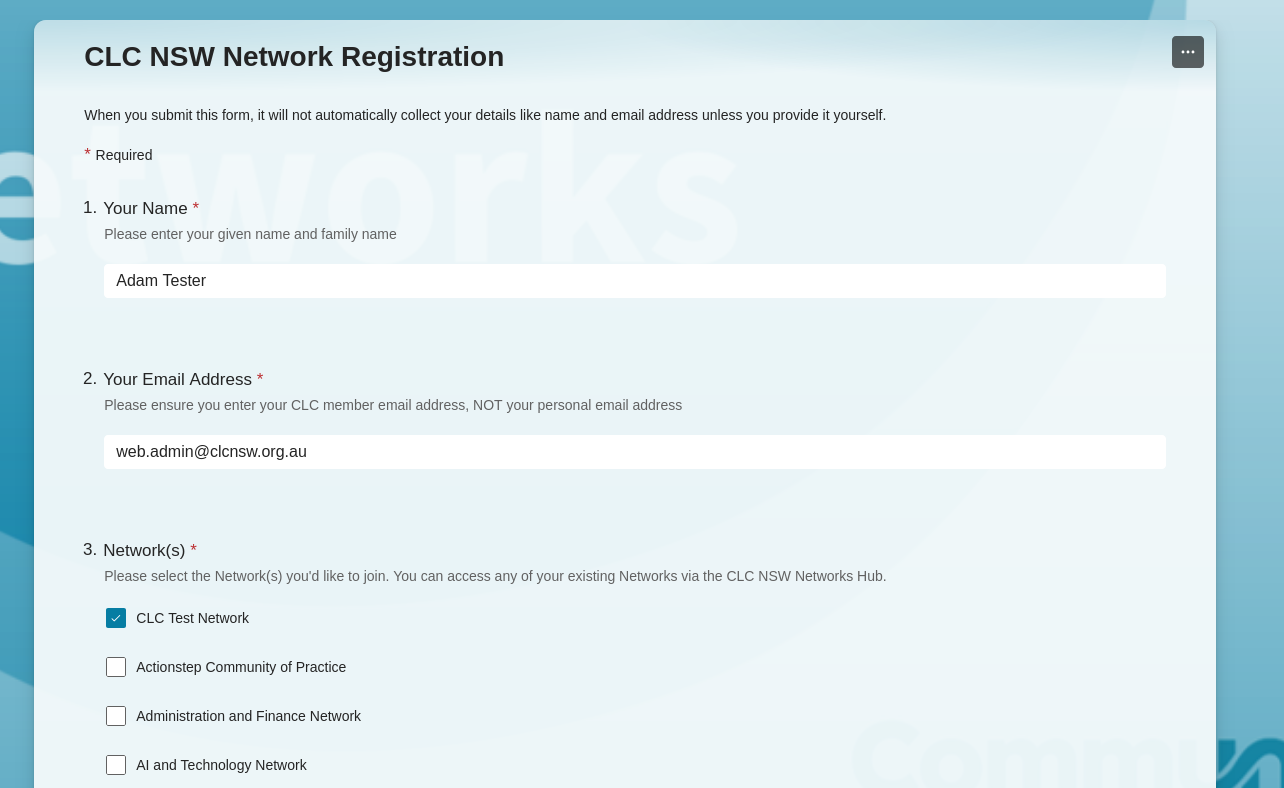
Step 1: Fill out the sign-up form
Start the sign-up process by filling out the Networks Hub sign-up form
The link should open a new browser window. Enter your name and email address as prompted and select all the Networks you wish to join. You can choose as many as you like!
Submit the form and come back to this guide.
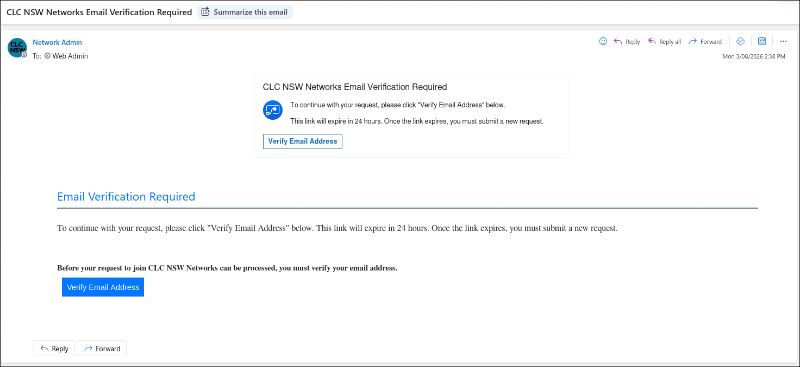
Step 2: Verify your email
You will receive an email from 'Network Admin' that says ' CLC NSW Networks Email Verification Required.' This email may take a moment to arrive.
Click 'Verify Email Address,' and you should see a confirmation message.
Note: Each of the emails you receive during the sign-up process can take a moment to arrive.
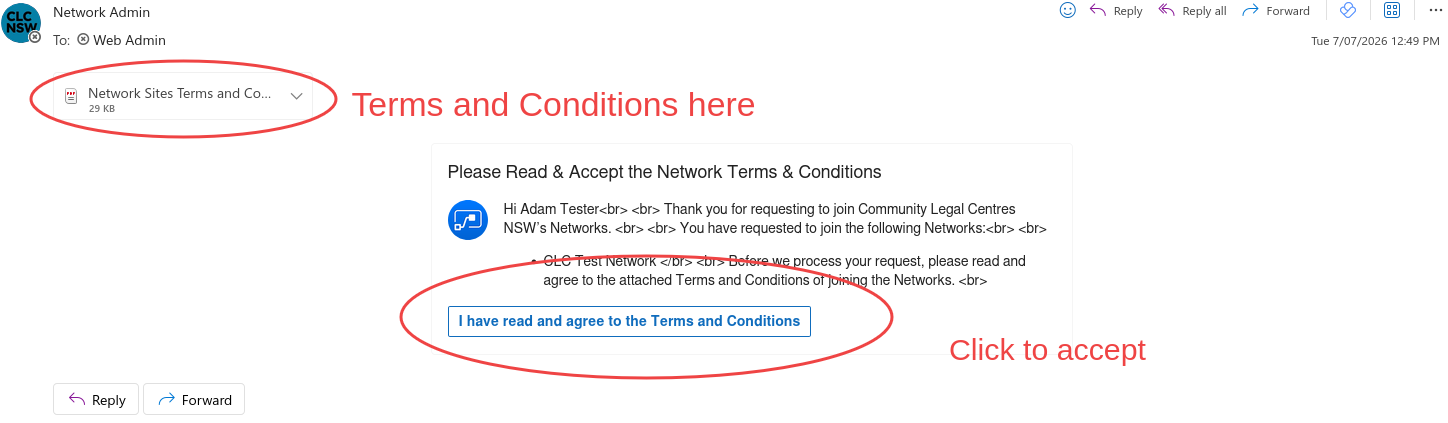
Step 3: Terms and Conditions
After a few moments, you should receive another email. This email will outline the terms and conditions for joining a Network.
Please read and then click ‘I have read and agree to the Terms and Conditions’ to continue.
You should then get a confirmation message.
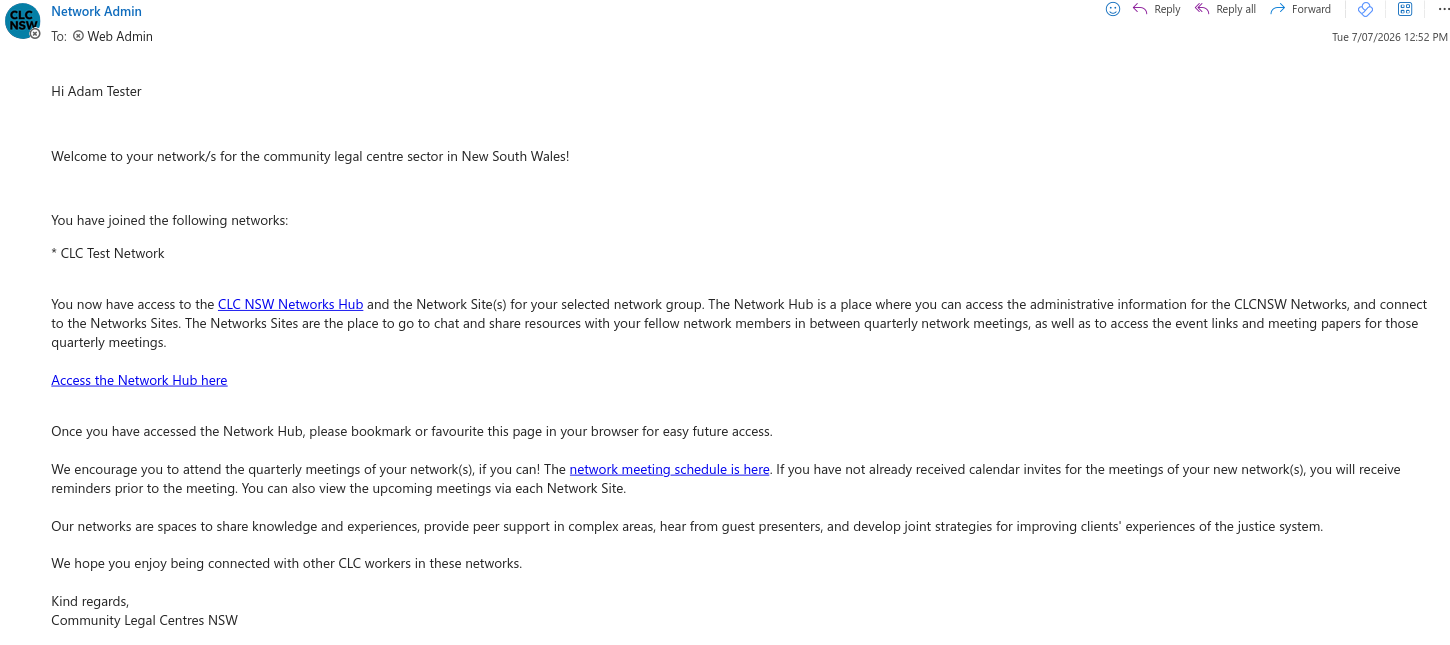
Step 4: Welcome email
You will then receive a welcome email with further information and links to access your Network Sites and the Networks Hub.
Note: We recommend bookmarking the Networks Hub link for easy access to the Network Sites.
Step 4: Signing In
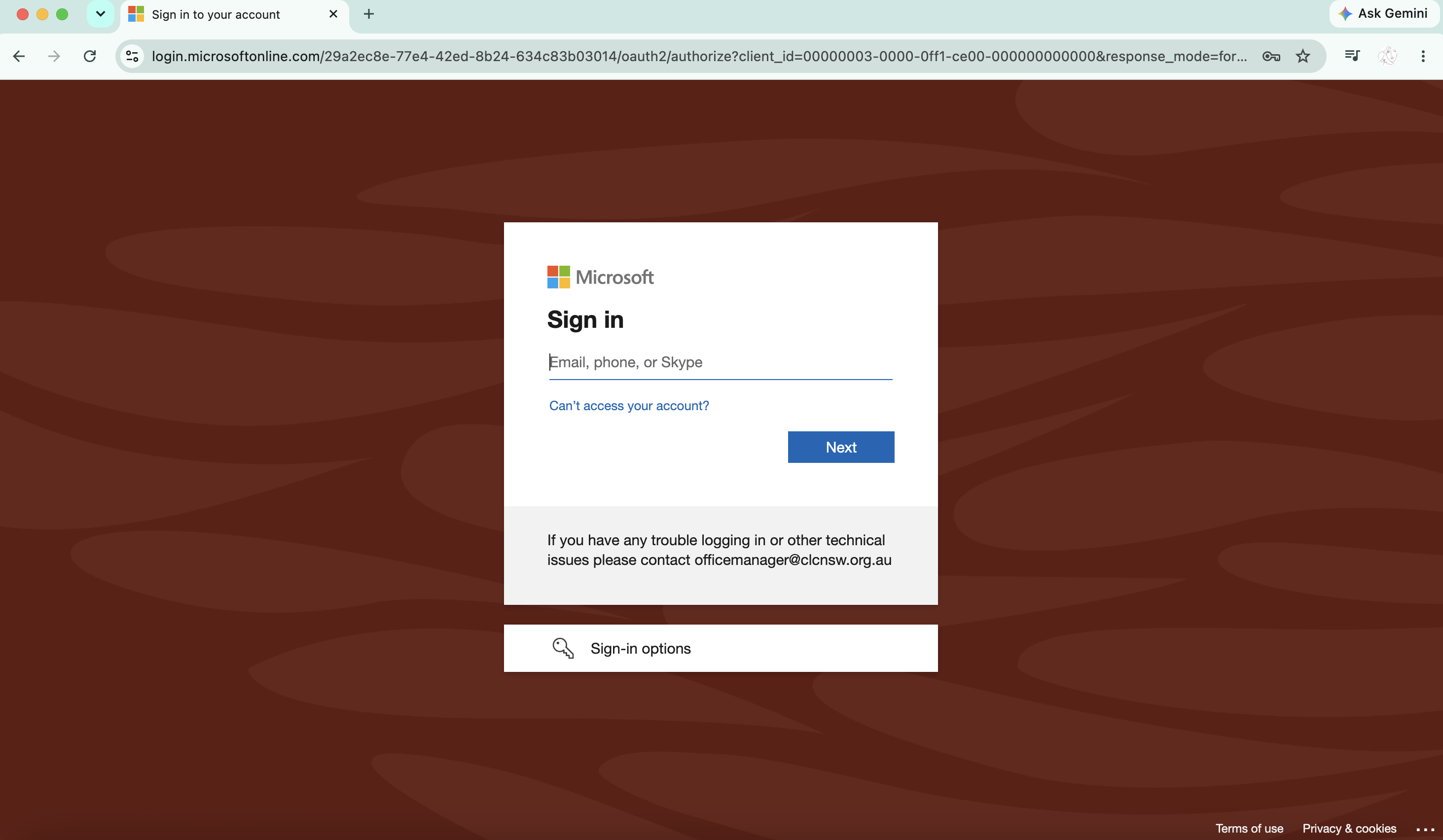
Once you have clicked on the Networks Hub link, you will either be sent directly to the Networks Hub or you will be asked to sign in. Please enter your workplace email credentials or enter a code sent to your workplace email to sign in.
Congratulations! You are now signed up to one or more Networks and the Networks Hub.
If there are any issues or you need help with this process, please email us at clcnsw@clcnsw.org.au.